Blog
How to Store a Secret File - A Practical Tradeoff Map (No Perfect Answer)
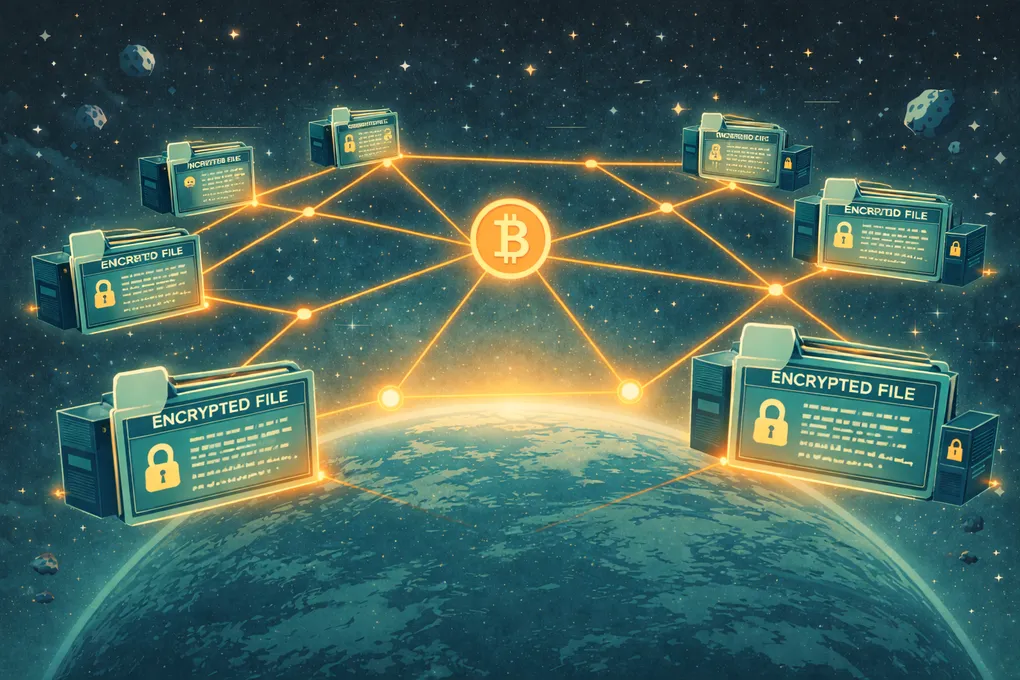
Where should a secret file live?
At some point, you end up with a tiny file that can ruin your week, or maybe your next ten years, if it disappears.
Not just Bitcoin seeds.
It can be:
- a password manager “emergency kit”
- 2FA backup codes
- a private key (Bitcoin, SSH, encryption)
- a will or family instructions
- a single file that proves you are you
Call it a secret, a confidential document, or a break-glass file. The label does not matter all that much.
What matters is the failure mode:
- You don’t need it that often.
- When you need it, you need it now.
- And the cost of not having it is absurdly high.
That makes this a storage problem, but not the casual “where should my photos live?” kind.
The two risks people mix up
When people say, “I don’t trust the cloud,” they usually mean one of two very different things. Sometimes they mean both.
- Security risk: someone breaks in and reads it.
- Access risk: you’re blocked from your own account and can’t get it.
In my head, these are separate problems, and they need separate answers.
Major cloud providers are genuinely good at the boring parts: redundancy, geo replication, and operational reliability. You pay for “it just works.”
But even if you encrypt the file, two realities remain:
- Accounts can be compromised.
- Accounts can be closed, flagged, or disabled.
And for high-stakes secrets, being locked out is often scarier than “they lost my file.”
Why I ended up with an offline baseline
I wanted a digital place I could trust for the long haul, something that feels like a vault.
What I found instead was a pile of tradeoffs:
- Cloud is convenient, but access is permissioned.
- Offline is sovereign, but it creates a synchronization and maintenance problem.
So for the most sensitive items, my default baseline became:
- keep an encrypted copy offline,
- add redundancy (so one failure doesn’t kill you),
- and then decide what (if anything) I’m comfortable keeping online.
This article is not a blueprint for anyone’s personal setup. It is a mental model: options, pros and cons, and how to choose based on your paranoia level.
The paranoia level (1 to 10)
There isn’t a single best answer. There’s only “best for your threat model.”
-
1 = extreme convenience
One provider, one account, instant access. -
10 = extreme paranoia
Offline-only, no internet exposure, multiple physical locations, manual process.
Most people should probably aim for something like 4–7: strong safety without turning life into an ongoing ops project.
Before we get into options, here are the four forces I use to compare them:
-
Confidentiality
Can anyone else read it? -
Availability
Can I retrieve it when I need it? -
Independence (cut-off risk)
Can a company, policy change, or account issue revoke access? -
Recoverability (including inheritance)
Can my future self (or family) actually use it under stress?
Let’s walk the options.
Option A: One cloud provider (encrypted)
This is the default for many people:
- Put the secret(s) into a single encrypted file (vault/db/archive)
- Upload to one cloud provider
To be fair, major cloud providers are experts at replication, geo redundancy, and operational reliability. You pay for “it just works.”
But two risks remain:
-
Account compromise or abuse
Even if your data is encrypted, you can still lose access through account security incidents. -
Account cut-off
Even reputable services can lock or disable accounts.
Apple has a support page specifically for when an Apple Account is “locked, not active, or disabled”:
https://support.apple.com/en-us/102640
Google has a similar “Your account is disabled” page describing policy-driven disables:
https://support.google.com/accounts/answer/40695?hl=en
This is why my personal concern is not “cloud providers lose data” — it’s “I can’t access the account.”
Some providers emphasize “zero-access” / client-side encryption (files are encrypted on your device before upload). Proton explains this here:
https://proton.me/security/zero-access-encryption
That’s great for confidentiality. It does not eliminate cut-off risk.
Option B: Offline-only (USB/SSD/paper in a safe)
Offline storage feels clean:
- No online attack surface
- No account lockouts
- No dependency on a vendor staying alive
But it has its own failure modes:
- Theft or confiscation (encryption protects confidentiality, not availability)
- Hardware failure (drives die; media degrades)
- Fire/water risk
- “Where is it?” problems
- Inheritance problems (does anyone know it exists and how to use it?)
- Synchronization problems (which copy is the latest?)
Offline works best when:
- the secret changes rarely, and
- you’re disciplined about redundancy across locations and periodic integrity checks.
Option C: Multi-location redundancy (still encrypted)
This is the first option that directly addresses cut-off risk in a serious way.
Instead of trusting one provider, replicate the same encrypted vault to multiple independent places.
Core idea:
- You’re not asking any provider to be perfect.
- You’re asking them to fail differently.
If Provider A locks you out, Provider B still exists.
This can be done with tools you control (not another SaaS account). For example, rclone is designed to sync data to and from many cloud providers, including cloud-to-cloud sync:
https://rclone.org/
I am not recommending a specific tool here. The strategy matters more than the brand:
- Encrypt locally
- Replicate to multiple independent places/providers
- Test restore at least once while you’re calm
For MB-scale vaults, redundancy is often affordable. The “cost” is operational simplicity: don’t build something you won’t maintain.
Option D: Trusted friend mesh (small federation)
Another pattern is what I think of as “social trust, but with machines.”
A small group of trusted people each runs a small always-on node:
- data is encrypted
- optionally sharded/erasure-coded
- distributed across the group
Pros:
- No big-tech cut-off
- Multiple physical locations (if your group is diverse)
- Aligned with people who already run home servers
Cons:
- The group must stay committed over time
- Hardware and internet fail
- People move, priorities change
- You still need simple processes (monitoring, updates, basic restore testing)
This can be excellent for disciplined groups, especially for secrets that rarely change.
Option E: Purpose-built solutions (great UX, different trust tradeoffs)
Depending on the secret, you can choose solutions tailored to that category:
- For password managers, many offer “emergency kits,” recovery codes, and inheritance-like flows.
- For Bitcoin wallets, collaborative custody tools can help with setup and recovery artifacts.
But here’s the important tradeoff: purpose-built UX often comes with some form of provider infrastructure.
For example, Nunchuk describes “Cloud backup” for the multisig wallet configuration and “assisted recovery” on its platform page:
https://nunchuk.io/platform
That doesn’t automatically make it unsafe (encryption and multisig reduce risk), but it means you’re still depending on a provider’s infrastructure for part of the experience — which brings us back to the same cut-off anxiety, just in a smaller form.
Option F: Decentralized storage networks (Filecoin-style)
There are decentralized storage networks designed around economic incentives and cryptographic proofs.
Filecoin’s model includes proofs to validate storage providers are properly storing data over time:
https://docs.filecoin.io/basics/the-blockchain/proofs
This is serious engineering.
But for “secret vault” use cases, mismatches show up quickly:
- Confidentiality is still your job (encrypt before upload).
- The network is optimized for broad storage markets and developer workflows, not “my family must recover this under stress.”
- Inheritance UX is not a first-class protocol feature.
- Payment models are typically not Bitcoin-native, which can be cultural friction for Bitcoiners.
That does not mean it is useless. It means it is not purpose-built for high-stakes personal secrets.
A premium feature iCloud can’t offer: “SLA by math”
Cloud providers sell “it just works,” and they do a lot of things exceptionally well.
But they can’t give you this:
“It will be there, and here is cryptographic evidence it is still there.”
A premium vault network would ideally provide:
- Proof that shards exist (auditable challenge-response proofs)
- A clear health score (“how many independent shards are healthy?”)
- Automatic repair when redundancy drops
- Transparent logs: what changed, when, and what the system did
This is not decentralization as a religion. It is turning availability into something you can verify, not just trust.
The circular dependency trap
Once you start combining options, a new failure mode appears that has nothing to do with encryption or redundancy.
Here is a real example. You store your password manager master password in a bank safe deposit box. The bank key lives in a home safe. The home safe has a PIN. You forget the PIN. Everything downstream, email, accounts, crypto access, two-factor codes, is now unreachable behind a number you no longer know.
This is the circular dependency trap: a chain where every link depends on the previous one, and the first link is a single point of failure.
A few design rules that help:
Every chain needs a way out that exists outside the chain. One piece — typically the last-resort entry point — should be recoverable without needing anything else you own or remember. A trusted person, a sealed envelope with a lawyer, durable physical media in an independently accessible location.
The bottom of your dependency tree cannot be a memorized PIN or password. Memory degrades, stress disrupts recall, and death makes it permanent loss. The deepest piece in your chain should exist physically, not only in your head.
Test the recovery path, not just the access path. Pick the most critical lock in your chain and ask: if I lost this and only this, what happens next? If the answer is “everything stops,” that lock needs a backup path.
A chain that is technically strong but structurally circular is not a paranoia-10 setup — it is a liability at any level.
So what’s the best answer?
There isn’t one.
It depends where you sit on the paranoia scale:
- 1–3: one encrypted vault in one provider is simple.
- 4–7: encrypt locally and replicate to multiple independent places/providers.
- 8–10: offline + multiple physical locations + well-documented recovery for heirs.
The missing “ideal” solution would combine:
- Non-revocable access (no accounts to freeze)
- Proof it exists (SLA by math)
- Automatic repair
- Transparent logs
- Simple recovery for heirs
Whether that becomes a Bitcoin-native protocol or a better layer on top of existing networks is still an open question. I would genuinely love to hear what you are doing today, what you trust and why, and where you think the missing piece is.
If you’ve built something better, please share it. If you haven’t, but you want it to exist, reach out. I’m collecting real-world approaches and failure stories, and I’m happy to collaborate on a clearer “gold standard” that doesn’t require blind trust in a single company or account.
What you can do next
Beginner (low friction)
- Put your critical secrets into one encrypted vault file.
- Store it in at least two independent places (one can be offline, one can be cloud).
- Write a short “how to restore” note for your future self.
Advanced (reduce cut-off and correlated failure risk)
- Replicate the encrypted vault to multiple independent providers using tools you control.
- Add one non-cloud copy (offline or trusted friend mesh) if that fits your threat model.
- Do one calm restore test now, not during a crisis.
I Got Hacked - Here Is What I Changed and Why I Sleep Better Now
I got hacked and it changed how I think about personal security. This is the framework I built — layered defenses, separated identities, and practical paranoia that works without making daily life unbearable.

Your Node, Your Rules - From Wallet to Full Bitcoin Sovereignty
Most Bitcoin wallets quietly rely on someone else’s node. This is what it took me to close that gap myself, and why running my own node changed how Bitcoin feels.

The Bitcoin Inheritance Problem - Legal, Technical, and Human
Custody protects your Bitcoin while you’re alive. Inheritance planning protects it after you’re gone. This is how I think about the legal, technical, and very human problem of making sure the right people can actually recover what you built.